Emergency update KB5129195 fixes Remote Desktop but leaves Code 10 USB audio broken on Windows 11 (September 15, 2026)
Chapters
TL;DR
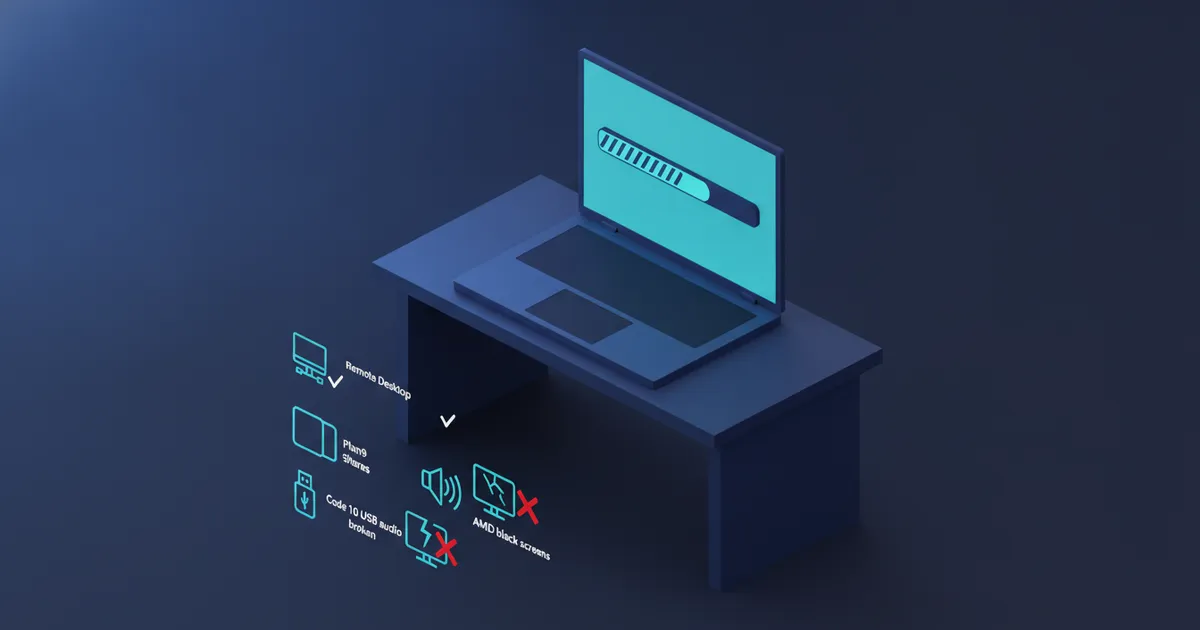
Microsoft's emergency update does not fix the USB audio failure that leaves some Windows 11 PCs silent, Windows Latest reported on September 15, 2026, even though that update repaired three of the faults September's security update KB5124008 introduced. The emergency update is KB5129195, published by Microsoft on September 14, 2026 as build 26200.9457 for Windows 11 25H2 and build 26100.9457 for 24H2. It fixes the Remote Desktop Services hang, the Plan9 host folder shares that WSL and Claude Cowork depend on, and USB Audio Class 1.0 devices that failed in 8-channel or 3D audio modes. It does not fix USB audio devices that show Code 10 or play nothing at all, and Microsoft says it is still working on those.
- KB5129195 downloads and installs automatically from Windows Update. It is cumulative, so it carries September's earlier security fixes along with the repairs.
- Fixed on September 14, 2026: Remote Desktop Services instability, Plan9 host folder shares in Hyper-V Linux virtual machines, and multichannel failures on USB Audio Class 1.0 devices.
- Still open: USB audio devices showing This device cannot start (Code 10), no output, or volume stuck at zero. Microsoft's status for the audio issue is Mitigated, not Resolved.
- Also without a fix: microphones on affected devices, Explorer.exe crashes on profile-container desktops, File History, and black screens or freezes on some AMD Radeon PCs.
- Windows 10 21H2 and 22H2, Windows 11 26H1, and Windows Server 2019, 2022 and 2025 each got their own out-of-band update the same day.
What KB5129195 fixes
Microsoft's KB5129195 page lists four changes. The first is protection for CVE-2026-62721, an elevation of privilege vulnerability in the Windows User-Mode Power Service. The second fixes Remote Desktop Services after the September 2026 security update, the problem I covered in the September 11 post. The third fixes applications using HCS-managed virtual machines that could not share host folders with Linux VMs through Plan9. The fourth fixes USB Audio Class 1.0 devices that worked in stereo and failed in multichannel modes.
BleepingComputer reported on September 14, 2026 that Microsoft released multiple out-of-band updates the same day and named six of them: KB5129236 for Windows 10 21H2 and 22H2, KB5129195 for Windows 11 24H2 and 25H2, KB5129194 for Windows 11 26H1, and KB5129238, KB5129237 and KB5129235 for Windows Server 2019, 2022 and 2025. The server packages are available through the Microsoft Update Catalog.
One detail matters to anyone who applied Microsoft's stopgap for the Plan9 problem. The Plan9 entry on the Windows release health dashboard, marked resolved at 10:00 PT on September 14, 2026, says administrators who deployed the temporary Group Policy mitigation must re-enable that policy, install the out-of-band update and restart. Microsoft says all three steps are needed to resolve the issue on those machines.
What it leaves broken
The USB audio entry on release health, last updated at 10:57 PT on September 14, 2026, is marked Mitigated. Microsoft calls the fix partial: KB5129195 resolves the 8-channel and 3D audio symptom, and the rest of the list stays open. That list is the Device Manager error This device cannot start (Code 10), no audio output, volume controls unresponsive or stuck at zero, and Sound settings unresponsive or unavailable. Microsoft says it is working on those symptoms, and it points IT administrators who need an immediate workaround to Microsoft Support for Business. It gives no date for the rest of the fix, and I have none either.
The entry's scope has also grown. BleepingComputer's audio report, published early on September 14, 2026, described the problem as affecting Windows 11 version 24H2 and later, and the September 13 post recorded no server release. The version last updated at 10:57 PT on September 14 adds Windows 11 23H2, Windows 10 22H2 and 21H2, two Windows 10 Enterprise LTSC releases, and Windows Server 2012 through Windows Server 2025. It is still limited to USB Audio Class 1.0 devices.
Windows Latest describes what the unfixed part looks like at the keyboard. The Sound page in Settings crashes as soon as it opens, which also takes away the audio troubleshooter. Device Manager lists the device normally, and its properties show Code 10. Windows Latest also has reports of microphones failing on affected devices, and Microsoft has not listed a separate microphone fix.
| Problem | Status on September 15, 2026 |
|---|---|
| Remote Desktop Services hang after KB5124008 | Fixed in KB5129195 |
| Plan9 host folder shares (WSL, Claude Cowork) | Fixed in KB5129195 |
| USB audio failing in 8-channel or 3D modes | Fixed in KB5129195 |
| USB audio Code 10, no output, volume at zero | Open, Microsoft status Mitigated |
| Microphones on affected devices | No fix listed |
| Explorer.exe crashes on profile-container desktops | No fix listed |
| File History cannot see backup drives | No fix listed |
| Black screens and freezes on AMD Radeon PCs | No fix listed, no workaround |
The reports KB5129195 does not touch
Three more problems in the Windows Latest roundup have no fix in KB5129195. Explorer.exe crashes, the subject of the September 12 post, mostly involve enterprise environments using Citrix UPM, FSLogix, Horizon or ProfileUnity ProfileDisks, on both 24H2 and 25H2. File History still cannot see external backup drives, the fault in the September 8 post, and Windows Latest says KB5129195 changes nothing for it.
The report this post has not covered before is about AMD graphics. Windows Latest has reports of black screens, freezes and GPU driver timeouts outside games on PCs with Radeon RX 6600, RX 7700 XT, RX 7800 XT, RX 7900 GRE, RX 7900 XTX and RX 9070 XT cards. Going back to older GPU drivers does not appear to help, which makes the Windows update the stronger suspect. Windows Latest cites no statement from Microsoft or AMD, and no workaround.
Installing it, and what that costs
Microsoft's page says KB5129195 downloads and installs automatically from Windows Update, and the standalone package is on the Microsoft Update Catalog. Windows Latest calls it a mandatory, cumulative update. On 25H2 it shows up as 2026-09 Security Update (KB5129195) (26200.9457) and takes about 10 minutes to download and install, according to Windows Latest.
Because it is cumulative, it includes all the improvements and security protections in earlier Windows updates, as the release health entries say. That makes it the only shipped route to the Remote Desktop, Plan9 and multichannel audio repairs. It will not bring back a USB device that shows Code 10, because Microsoft lists that symptom as still open. Taking updates off to get sound back, the route my September 13 post described for KB5124008, now also means giving up the CVE-2026-62721 protection that KB5129195 adds.
What you can do today
1. Check your build in Settings, System, About. Build 26200.9457 on 25H2 or 26100.9457 on 24H2 means KB5129195 is installed.
2. If Remote Desktop, WSL shared folders or Claude Cowork broke after KB5124008, install KB5129195 and restart. Microsoft lists all three as fixed.
3. If you applied Microsoft's temporary Group Policy mitigation for the Plan9 problem, re-enable the policy, install the update and restart, in that order.
4. If a USB headset or speaker lost only its 8-channel or 3D modes, KB5129195 brings them back. If it shows Code 10 or plays nothing, the update does not help yet. A device that is not USB Audio Class 1.0 is outside the fault Microsoft describes. For the symptoms the update does not address, Microsoft tells IT administrators who need an immediate workaround to contact Microsoft Support for Business.
5. If the Sound page in Settings crashes, check Device Manager instead. Code 10 on a USB Audio Class 1.0 device after KB5124008 matches the defect Microsoft has confirmed, not a broken device.
6. If you run Citrix, FSLogix, Horizon or ProfileUnity profile disks, or an AMD Radeon card with black screens, KB5129195 has nothing for you yet. Windows Latest says restarting Explorer.exe from Task Manager brings the desktop back, which is a restart each time and not a fix. Write down the build and the symptom so you can match them to a fix when one is published.
Frequently asked questions
Does KB5129195 fix the Windows 11 USB audio problem?
Partly. It fixes USB Audio Class 1.0 devices that failed in 8-channel or 3D audio modes. Devices that show Code 10, produce no output or have volume stuck at zero are still affected, and Microsoft's entry was Mitigated as of 10:57 PT on September 14, 2026.
Do I need to download KB5129195 myself?
No. Microsoft says it downloads and installs automatically from Windows Update, and a standalone package is on the Microsoft Update Catalog for manual installs. After the restart, the build is 26200.9457 on 25H2 or 26100.9457 on 24H2.