Windows bugs and fixes October 1 2026: fix status
Chapters
What broke on Windows 11?
The black-screen failure is a Windows 11 bug, Cybersecuritynews said on September 25, 2026. Cybersecuritynews said on September 25, 2026, that affected users can authenticate successfully but never reach a usable desktop because the Windows shell does not start automatically. The same report says Windows Application event logs may contain Windows Explorer crashes, and manually starting the desktop can restore access for the current session.
gHacks reported on September 27, 2026, that the affected client releases are Windows 11 versions 24H2, 25H2 and 26H1, while Windows Server editions are not affected. Its report traces the issue to the August 2026 non-security preview update KB5120998 and says Microsoft has observed it primarily on Azure Virtual Desktop hosts using FSLogix profiles.
BleepingComputer said on September 25, 2026, that the affected update chain includes KB5120996 for Windows 11 26H1, KB5120998 for Windows 11 24H2 and 25H2, plus KB5124008 and KB5122880. My September 26 black-screen report provides the earlier status.
TL;DR
Windows 11 can leave the desktop black after sign-in, Cybersecuritynews said on September 25, 2026. No permanent fix has shipped; gHacks said on September 27, 2026, that users can start Explorer manually or administrators can deploy the matching Known Issue Rollback.
- BleepingComputer said on September 25, 2026, that KB5120996, KB5120998, KB5124008 and KB5122880 are associated with the desktop-loading issue.
- PCWorld said on September 30, 2026, that Windows 11 26H2 carries the issue from earlier releases.
- TweakTown said on September 25, 2026, that KB5124010 game crashes remain user reports without full confirmation.
- Microsoft has marked the black-screen issue as mitigated, not permanently resolved, according to gHacks on September 27, 2026.
Has Microsoft shipped a permanent fix?
No permanent fix has shipped, gHacks said on September 27, 2026. Microsoft has marked the incident as mitigated, but gHacks said on September 27, 2026, that the company has not supplied a release date or named the future update containing the correction.
A permanent Windows update fix is therefore still pending, while Known Issue Rollback provides the managed mitigation described by Cybersecuritynews on September 25, 2026. Administrators managing Windows 11 26H1 can install KB5124006 260924_20071, while administrators managing Windows 11 25H2 or 24H2 can install KB5124010 260924_20021, according to Cybersecuritynews on September 25, 2026.
BleepingComputer said on September 25, 2026, that administrators must install and configure the Group Policy under Computer Configuration and Administrative Templates, then restart every affected device. Cybersecuritynews explained on September 25, 2026, that KIR reverses the problematic non-security change while preserving the remainder of the installed update.
The cost of KIR is operational work and a required restart, while the manual Explorer workaround lasts only for the current desktop session, according to the same dated reports.
Does Windows 11 26H2 change the answer?
Windows 11 26H2 carries the same black-screen issue, PCWorld said on September 30, 2026. PCWorld said on September 30, 2026, that the problem was inherited from Windows 11 24H2 and 25H2 rather than introduced by the 26H2 feature update itself.
BleepingComputer’s Windows 11 2026 Update report said on September 30, 2026, that 24H2, 25H2 and 26H2 share a servicing branch, source code base, security updates and quality updates. That report also says supported devices receive 26H2 as a small enablement package rather than a full operating-system replacement.
PCWorld said on September 30, 2026, that a machine without current symptoms could encounter the carried-over Windows known issues after moving to 26H2, while an already affected machine could remain affected. BleepingComputer added on September 30, 2026, that Windows 11 26H1 devices cannot upgrade directly to 26H2 because 26H1 uses a different Windows core.
The dated reports name versions and KB packages, but gHacks said on September 27, 2026, that Microsoft has not named a build containing the permanent correction.
Are the reported KB5124010 game crashes confirmed?
No confirmed fix exists for the reported game crashes, TweakTown said on September 25, 2026. TweakTown said on September 25, 2026, that users associated KB5124010 with crashes in Battlefield 6, WARDOGS, Battlefield 2042 and Fallout New Vegas, including titles using anti-cheat software.
TweakTown also said on September 25, 2026, that the role of anti-cheat remains unconfirmed, although uninstalling KB5124010 reportedly helped several affected players. That remains a reported Windows KB update problem rather than a Microsoft-confirmed known issue, based on the status in TweakTown’s September 25, 2026 account.
The identifier requires caution because BleepingComputer used KB5124010 on September 25, 2026, for the Known Issue Rollback package covering Windows 11 25H2 and 24H2. TweakTown used KB5124010 on September 25, 2026, for the preview update associated with the game complaints, so the supplied reports do not resolve the naming conflict.
Uninstalling the package costs access to whatever changes it installed, and TweakTown’s September 25, 2026 report does not establish that step as a permanent Microsoft correction.
What can a Windows user do today?
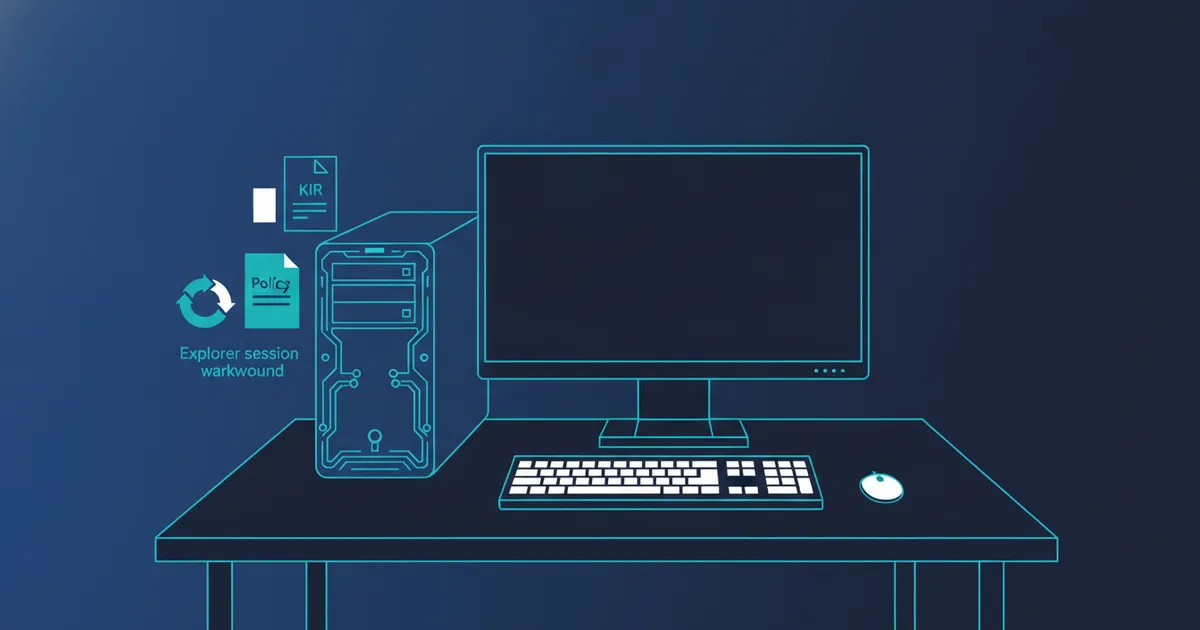
Start Explorer manually when the desktop stays black, BleepingComputer said on September 25, 2026. BleepingComputer’s September 25, 2026 instructions are to press Ctrl+Shift+Esc, select Run new task, enter explorer.exe, and select OK to restore the desktop for that session.
The workaround does not remove the underlying regression, and Cybersecuritynews said on September 25, 2026, that the user may need to repeat it when another affected session fails. A managed Windows 11 26H1 device can instead receive KB5124006 260924_20071, while managed Windows 11 25H2 and 24H2 devices can receive KB5124010 260924_20021, according to Cybersecuritynews on September 25, 2026.
Administrators should install the package matching the Windows version, configure its Group Policy and restart the device, as BleepingComputer specified on September 25, 2026. The available reports do not name a corresponding 26H2 KIR package, while PCWorld said on September 30, 2026, that the black-screen issue is present on 26H2.
For reported game crashes after KB5124010, TweakTown said on September 25, 2026, that uninstalling the update helped several users, but Microsoft confirmation and a permanent correction remain unavailable.
Frequently asked questions
Is a permanent black-screen fix available?
No. gHacks said on September 27, 2026, that Microsoft is developing a resolution for a future Windows update but has not named the update or supplied a release date.
Did Windows 11 26H2 create the black-screen problem?
No. PCWorld said on September 30, 2026, that Windows 11 26H2 carries the issue from Windows 11 24H2 and 25H2 rather than causing it.
Does the Explorer workaround permanently repair Windows?
No. Cybersecuritynews said on September 25, 2026, that manually starting Explorer restores desktop access for the session but does not eliminate the update regression.
Is uninstalling KB5124010 an official game-crash fix?
TweakTown said on September 25, 2026, that uninstalling KB5124010 reportedly helped several gamers, but the anti-cheat connection and a permanent fix were not fully confirmed.